Adding posts in Astro Lane
Are you planning to create a blog post using the “Astro Lane” theme? Here are some guidelines and recommendations to help you create a great post.
Table of contents
What is Frontmatter?
First things first, frontmatter is where you store important information about your article post. Some of the essential frontmatter configuration options for blog posts include title, description, pubDate, author, featured, draft, tags, and heroImage. Title and description are particularly essential for search engine optimization (SEO).
Read more about frontmatter and its usage in astro documentation.
Here are the default frontmatter configuration options for blog posts:
| Property | Description | Remark |
|---|---|---|
| title | Title of the post. (h1) | required* |
| description | Description of the post. Used in post excerpt and site description of the post. | required* |
| pubDate | Published datetime in ISO 8601 format. | required* |
| author | Author of the post. | default = SITE.author |
| featured | Whether or not display this post in featured section of home page | default = false |
| draft | Mark this post ‘unpublished’. | default = false |
| tags | Related keywords for this post. Written in array yaml format. | default = others |
| heroImage | Thumbnail of the post. Will be the OG image of the post. Useful for social media sharing and SEO. | default = SITE.ogImage or generated SVG image |
The title, description and pubDate are required fields in frontmatter and must be specified.
Title and description (excerpt) are important for search engine optimization (SEO).
If you there’s no specified tags in a blog post, the default tag others will be used as a tag for that post. You can set the default tag in the /src/content/config.ts file.
// src/contents/config.ts
export const blogSchema = z.object({
    // ---
    // replace "others" with whatever you want
    tags: z.array(z.string()).default(["others"])
});
Example of Frontmatter data
Here is the sample frontmatter for a post.
# src/contents/sample-post.md
---
title: The title of the post
author: your name
pubDate: 2023-03-25
featured: true
draft: false
tags:
    - example
    - tags
heroImage: ""
description: This is the example description of the example post.
---
Adding Table of Contents
By default, the Astro Lane theme does not include any table of contents in a post. However, you can add a table of contents by writing “Table of contents” in H2 format (## in markdown) and placing it where you want it to appear in your post.
---
# frontmatter settings
---

Here are some sample text from the example above.

## Table of contents

<!-- The Rest of the content-->
Image size and compression
It’s recommended that you compress any images you add to your blog post, as this can affect the overall performance of your website. Some recommended image compression tools include TinyPng, ShortPixel, TinyJPG, and Kraken.
Headings suggestions
In the Astro Lane theme, the title of the post is the main heading (H1) of the post. Therefore, it’s recommended that you use H2 to H6 for the rest of the headings in your content for accessibility and SEO purposes.
OG Image/Hero Image
If your post does not specify an OG image, the default OG image will be used. However, it’s recommended that you specify an OG image related to your post in the frontmatter. The recommended size for an OG image is 1200 x 640 pixels. If a hero image is not specified, an OG image will be generated automatically same as the below.
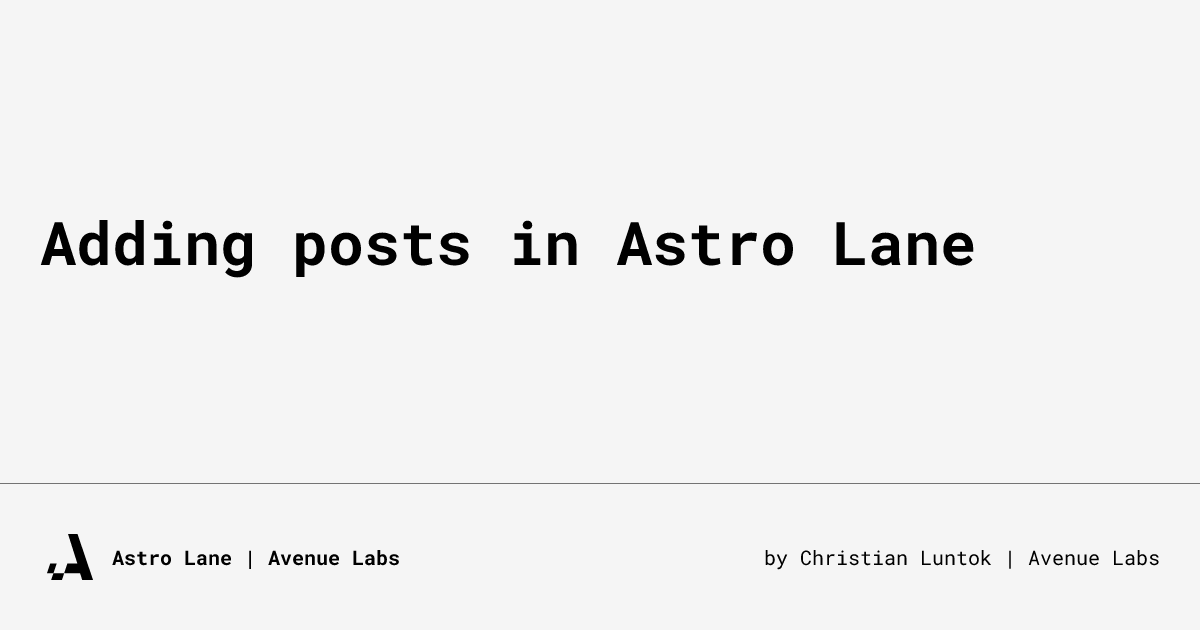 This is an example of an OG image generated automatically if heroImage frontmatter is not provided.
To summarize, when creating a post using the Astro Lane theme, you need to ensure you have the essential frontmatter configuration options, add a table of contents if needed, compress any images you use, use proper headings, and specify an OG image if possible. By following these guidelines, you can create an excellent post that’s optimized for SEO and accessibility.